Every order, always visible
The board for the shop floor, the list for searching history.
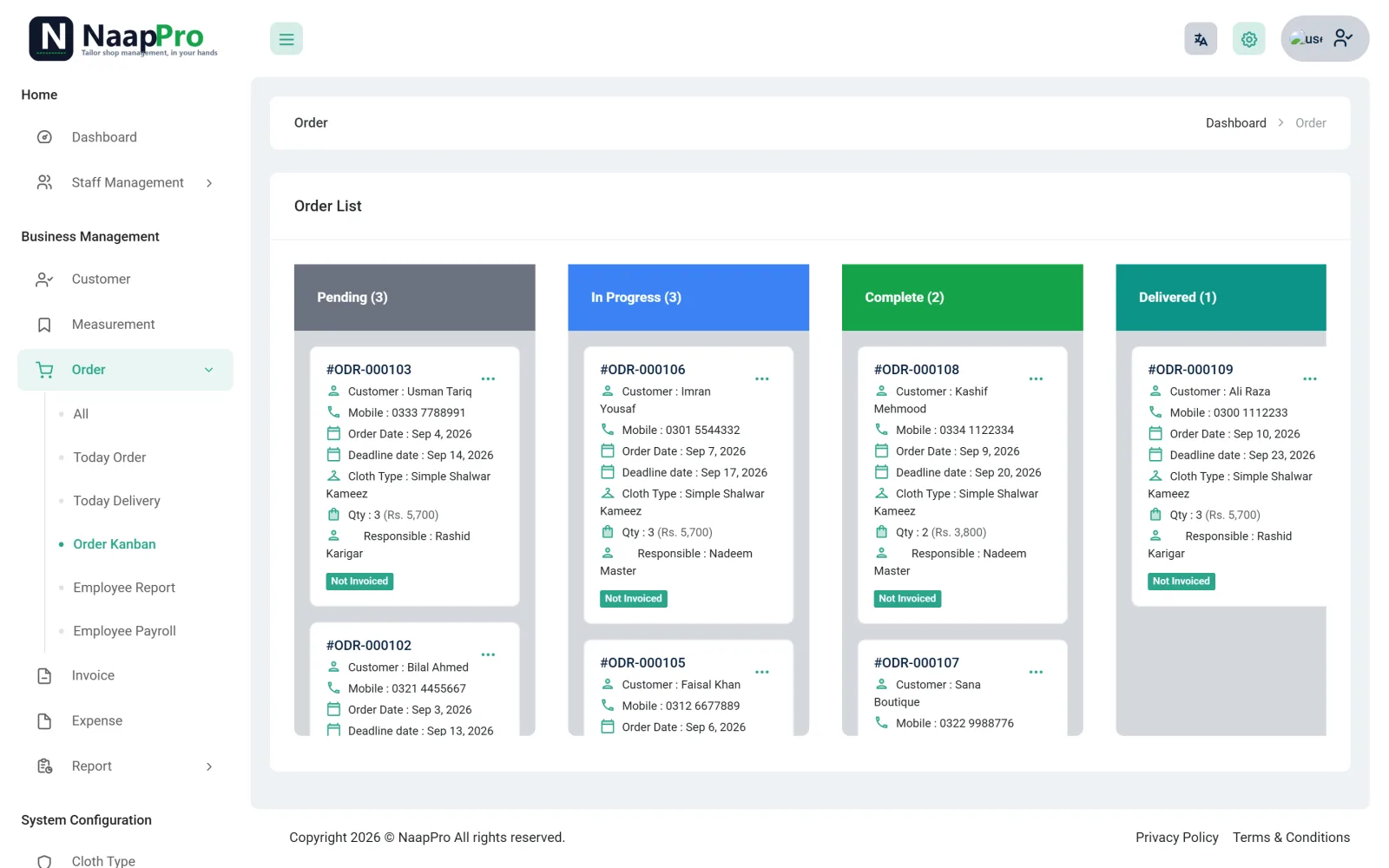
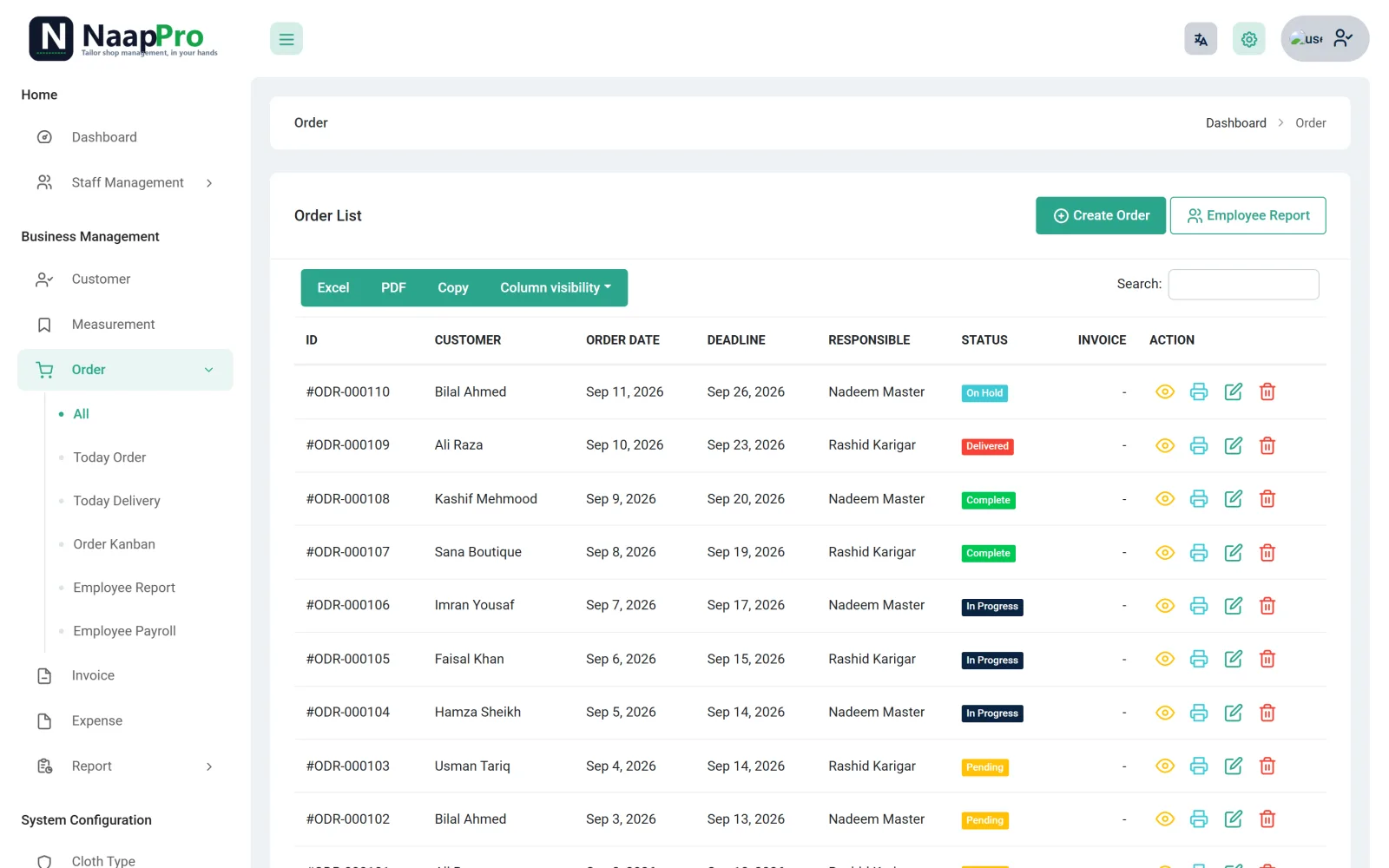
Every order, every delivery date and every karigar on one board - so nothing is forgotten behind the counter.
The board for the shop floor, the list for searching history.
Orders move through a simple board: pending, in progress, completed and on hold. You always know what is on the machine right now and what is due today.
Pick the customer, confirm the saved naap, choose cloth type and quantity, set the rate and the delivery date.
A due-today and overdue view sits on your dashboard - the order that is about to be late shows itself instead of hiding in a notebook.
Drag-free, colour-coded columns for pending, in progress and completed work. Good for the munshi and good for the karigar.
Assign the order to a karigar and see their load. Payroll uses the same data, so piece-work does not need a second register.
Open a customer and see every past order, with the naap that was used - perfect for repeat customers.
Each order gets a private link you can send on WhatsApp or print as a QR on the receipt.
Open the dashboard: what is due today, what is late, what is still pending.
Add new orders as customers come in, move finished work to completed.
Hand over completed suits, take the payment, and let the customer's status link update itself.
Yes. On hold is a status of its own, so a suit waiting for cloth or for customer approval does not look like work in progress.
Yes, you can log in from more than one device with the same account, so the counter and the munshi can both see the board.
No. The status link shows only that one order's status and delivery date - nothing else from your shop.
Order management and tracking are Pro features. The free Basic plan covers customer records and naap.
Tell us about your shop — we'll set you up and message you on WhatsApp.
Takes 20 seconds. No card needed.
By submitting you agree to be contacted on WhatsApp about NaapPro.